
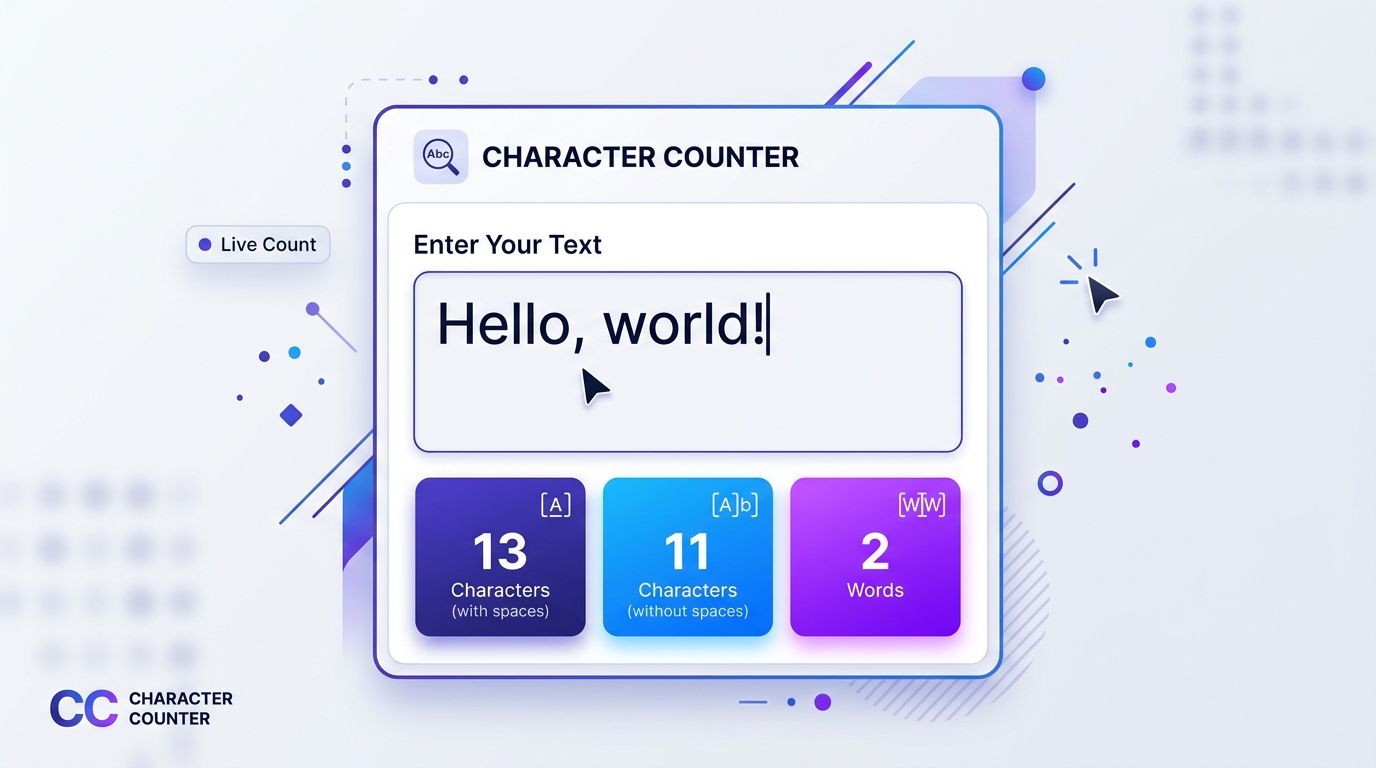
Whether you are refining a high-impact social media headline, preparing an academic abstract with strict submission constraints, crafting SEO meta descriptions for Google, or completing an online employment application with tight field limits, character length directly dictates whether your message gets published or cut off. While most writers grow up thinking in terms of words, modern digital platforms, database fields, and publishing algorithms measure communication in characters. Using an online character counter ensures your copy remains sharp, clear, and perfectly fitted to every technical boundary.
Try All in One Toolbox Character Counter
Instant live character and word statistics right in your browser. Zero downloads, no registration required, and 100% client-side privacy.
What Is a Character Counter?
A character counter is a digital writing utility designed to measure the precise number of individual keystrokes, symbols, and glyphs contained within a piece of text. While word counters tally space-delimited clusters of letters, a character counter evaluates text at the foundational typographic level.
In modern computing and digital publishing, a character encompasses a wide variety of distinct elements:
- Letters: Standard alphabetic characters across uppercase and lowercase scripts (A–Z, a–z), as well as accented letters (é, ü, ñ) and non-Latin alphabets (Arabic, Cyrillic, Kanji, Devanagari).
- Numbers: Digits from 0 through 9 across all numerical notations.
- Whitespace: Spaces between words, non-breaking spaces, and tab indentations that create visual separation.
- Punctuation Marks: Periods, commas, apostrophes, quotation marks, hyphens, colons, semicolons, exclamation points, and question marks.
- Symbols: Special typographic marks including currency symbols ($, €, £, ¥), mathematical operators (+, −, =, ×), and technical glyphs (@, #, &, %, *, /, \).
- Line Breaks: Carriage returns and line feed tokens created every time you press Enter or Return to begin a new paragraph. Depending on the operating system and technical parser, a line break may be counted as one or two underlying characters.
- Emoji and Unicode Characters: Modern pictographs (such as 😀, 👍, or 🎉). As we explore later in this guide, emoji represent complex Unicode sequences that can be evaluated differently depending on whether a system measures visible symbols, UTF-16 code units, or UTF-8 bytes.
Because every operating system, web platform, and database processes text through underlying character encodings, a visible symbol on your screen does not always equal a single technical byte. A reliable online character counter eliminates the guesswork, helping writers, students, social media strategists, and web developers verify their copy before hitting submit.
What Counts as a Character?
One of the most frequent points of confusion for writers is realizing that characters include much more than just the visible alphabet. To understand how character calculation operates in practice, consider this familiar greeting:
When you inspect this phrase using a comprehensive character counter, the breakdown is as follows:
Hellocontains 5 letters (H, e, l, l, o).- The comma
,counts as 1 character. - The space separating the two words counts as 1 character.
worldcontains 5 letters (w, o, r, l, d).- The exclamation mark
!counts as 1 character. - Total: Exactly 13 characters (including spaces and punctuation).
Now consider what happens when we modify this sample text slightly by adding an extra space and an additional punctuation mark:
In this second example, we inserted two consecutive spaces between the comma and the word world and added a second exclamation point at the end. Even though the vocabulary remains identical (just the two words “Hello” and “world”), the character count increases from 13 to 15 characters.
This demonstrates why tracking characters requires dedicated tools: unintended double spaces, stray trailing tabs, and stylistic punctuation adjustments directly impact whether your text satisfies strict publishing limitations.
Characters With Spaces vs. Without Spaces
Different organizations, academic departments, publishing houses, and software applications follow different conventions when establishing text limits:
- Characters With Spaces (Total Character Count): Measures every single keystroke typed into the document, including spaces, tabs, and punctuation. This is the standard measurement enforced by social media networks (like X, LinkedIn, and Instagram captions), search engine result snippets, SMS text messaging, and database entry fields.
- Characters Without Spaces (Visible Character Count): Strips away all horizontal whitespace and line returns, measuring only the physical typographic glyphs. This metric is frequently used in professional translation services, commercial typesetting, journalism per-character billing, and certain European academic guidelines.
Side-by-Side Comparison
In All in One Toolbox’s Character Counter, the primary character metric represents the total character count (including spaces, punctuation marks, and symbols) calculated using accurate Unicode code-point parsing (Array.from(text).length). This provides the exact number needed for social media posts, form fields, and SEO meta tags. If you need to clean up accidental double spaces or trailing tabs to trim down your total count, pair this tool with our free Remove Extra Spaces utility.
How to Count Characters Online With All in One Toolbox
Counting characters on All in One Toolbox is instantaneous, lightweight, and completely private. There are no accounts to create, no subscriptions to purchase, and no delays. Follow these straightforward steps:
- Open the Tool: Navigate to the All in One Toolbox Character Counter in your browser.
- Type or Paste Your Text: Enter your text directly into the spacious input textarea. You can paste paragraphs from Google Docs, Microsoft Word, email clients, or web editors.
- Review the Live Character Count: Look at the “Characters” metric displayed in the real-time statistics panel below the text area. The counter updates automatically as you type every single keystroke.
- Check Additional Statistics: In addition to character volume, the tool provides your total Word count, Sentence count, and an estimated Reading time (calculated at a standard 200 words per minute).
- Edit and Refine in Real Time: Add or delete words, modify punctuation, or rephrase sentences while watching the character total update live until your draft fits your target constraint.
- Copy or Clear: Once your draft satisfies your character limit, click the Copy text button to copy the final text to your clipboard, or click Clear to reset the input for a new document.
Ready to test your text?
Open the interactive character counter in a clean, distraction-free interface.
Character Count vs. Word Count
While word count and character count both measure text volume, they serve distinct purposes in communication and digital publishing. A word counter measures conceptual units of meaning, whereas a character counter measures physical typographic footprints.
Consider this simple contrast: the word “I” and the word “incomprehensibility” each count as exactly one word. However, the first word requires only 1 character, while the second consumes 20 characters! If you are writing for a medium with strict visual or technical constraints, word counts alone can be dangerously misleading.
| Feature / Dimension | Character Counter | Word Counter |
|---|---|---|
| What Is Counted | Individual letters, digits, punctuation marks, spaces, and symbols. | Space-separated or punctuation-delimited vocabulary clusters. |
| Common Use Cases | Social media posts, SMS, meta titles, database fields, ad copy, passport forms. | Essays, novels, journal manuscripts, speeches, blog articles, translation rates. |
| Why the Metric Matters | Prevents truncation, interface clipping, and form validation rejections. | Measures depth of argument, reading duration, and conceptual thoroughness. |
| Typical Limitations | Strict technical caps (e.g., 280 characters on X, 160 characters in meta tags). | Target ranges (e.g., 1,500–2,000 words for an academic research paper). |
| Sensitivity to Phrasing | Highly sensitive to word choice (syllable length), spacing, and punctuation. | Unaffected by whether you choose short monosyllables or long polysyllables. |
If your project requires comprehensive writing analysis including paragraphs, reading speeds, and sentence distributions, explore our dedicated All in One Toolbox Word Counter and read our in-depth companion guide: Word Counter: How to Count Words, Characters, Sentences, and Reading Time.
Where Is Character Counting Useful?
Character counting plays a crucial role across numerous digital disciplines, from marketing and search engine optimization to academic admissions and software engineering:
1. Social Media Posts and Microblogging
Social platforms enforce strict character limitations to maintain rapid feed readability and manageable storage. For example, standard posts on X (formerly Twitter) are capped at 280 characters for non-subscribers, LinkedIn profile headlines are limited to 220 characters, Instagram captions cap at 2,200 characters (though preview snippets truncate after roughly 125 characters), and Pinterest pin descriptions allow up to 500 characters.
Note: Platform limits evolve frequently and often vary based on subscription tiers, regional features, or device types. Always verify current platform rules before scheduling critical campaigns.
2. SEO Titles and Meta Descriptions
When search engines like Google display search results, they render page titles (<title>) and meta descriptions within fixed-width visual containers (typically measured in pixels, around 600px for titles on desktop). As a general rule of thumb, SEO specialists aim for titles between 50 and 60 characters and meta descriptions between 150 and 160 characters.
While character count serves as a reliable drafting proxy, search engines truncate based on visual pixel width rather than raw character counts alone. Wide letters (such as “W” and “M”) occupy more pixel width than narrow letters (such as “I” and “l”).
3. School Assignments, Essays, and College Applications
Many university application portals (including the Common Application, UC Personal Insight Questions, and medical school AMCAS activity descriptions) specify rigorous character limits rather than word limits (e.g., 650 words for main personal essays, but 700 characters for extracurricular activity descriptions).
Exceeding the character limit by even a single letter will cause the web submission portal to reject your input or truncate your closing remarks. Always check whether your institution counts characters with or without spaces.
4. Online Forms, Job Portals, and Government Filings
Web application forms—such as job applicant tracking systems (Workday, Greenhouse, Taleo), grant applications, trademark descriptions, and visa forms—enforce strict database field limits (such as VARCHAR(255) or TEXT limits). Drafting your cover letter snippets or employment duties in a character counter prevents frustrating submission errors.
5. Blogging, Email Newsletters, and Copywriting
Email subject lines need to convey urgency and value within roughly 40 to 50 characters to avoid getting cut off on mobile email apps (like Apple Mail and Gmail). Similarly, blog subheadings, hero callouts, and landing page buttons perform best when character counts are balanced and concise.
6. Programming, SMS APIs, and Data Entry
Telecommunications protocols (like standard SMS) limit single messages to 160 characters (7-bit GSM encoding). Exceeding 160 characters by a single letter splits the message into two multi-part segments, doubling transmission costs. In software engineering, inspecting string lengths helps validate schema constraints before writing unit tests.
How Many Characters Should You Write?
Because every medium serves a different audience and technical environment, there is no single “universal ideal” character length. Instead, the right character count depends entirely on your target publishing channel:
- SMS Marketing Text: 130–150 characters (leaves room for opt-out links).
- Mobile Push Notifications: 40–60 characters for titles; 80–120 characters for body text.
- Email Subject Lines: 35–50 characters (ideal for smartphone screens).
- SEO Page Title: 50–60 characters (avoids Google SERP ellipsis truncation).
- Meta Description: 145–158 characters (maximizes click-through snippet real estate).
- URL Slugs: 30–50 characters (concise, keyword-focused, and human-readable).
- Engaging X / Twitter Posts: 200–250 characters (leaves room for quotes and links).
- LinkedIn Posts: 150–300 characters above the “see more” fold.
- Instagram Captions: 125 characters before the “more” truncation toggle.
- Resume Bullet Points: 80–120 characters (compact, action-driven impact statements).
- Application Short Answers: Strictly follow the institutional limit (commonly 500, 1,000, or 1,500 characters).
- LinkedIn Professional Headline: 120–180 characters.
Always check the official documentation or submission guidelines for the specific portal you are submitting to. When in doubt, aim for clarity and brevity rather than filling space to reach an arbitrary maximum.
How to Reduce Your Character Count Without Losing Meaning
Finding yourself 25 characters over a strict limit can be stressful. Fortunately, you do not have to delete essential facts or butcher your grammar. Use these practical editing strategies to trim character volume cleanly:
1. Cut Unnecessary Filler Words
Words like “really”, “very”, “actually”, “basically”, “in order to”, and “due to the fact that” add length without adding substance. Replace “in order to succeed” (19 characters) with “to succeed” (10 characters) to save 9 characters instantly.
2. Replace Long Phrases With Punchy Equivalents
Substitute verbose nominalizations with strong active verbs:
- “conduct an examination of” (25 chars) → “examine” (7 chars) — saves 18 characters.
- “at the present time” (19 chars) → “now” (3 chars) — saves 16 characters.
- “has the capability to” (21 chars) → “can” (3 chars) — saves 18 characters.
3. Eliminate Accidental Double Spaces and Stray Tabs
Copy-pasting text between email clients, PDFs, and text processors frequently introduces hidden double spaces or non-breaking spaces. Use All in One Toolbox’s free Remove Extra Spaces tool to strip unwanted whitespace in a single click.
4. Switch from Passive to Active Voice
Passive constructions require auxiliary verbs and prepositional phrases: “The proposal was reviewed by our team” (36 characters) becomes “Our team reviewed the proposal” (30 characters), saving 6 characters while improving directness.
5. Remove Redundant Formatting and Punctuation
Check for double punctuation (like ?? or !!), unnecessary em-dashes with surrounding spaces, or redundant semicolons. Replacing two sentences joined by “and furthermore” with a simple period and direct phrasing saves vital space.
Common Character Counting Mistakes to Avoid
Even seasoned writers and marketers encounter submission errors when counting characters. Be alert to these widespread pitfalls:
1. Assuming Spaces Never Count
This is the single most common reason online forms reject pasted submissions. Unless an instruction explicitly specifies “characters without spaces”, web forms, social networks, and search engines always tally every space key as a full character.
2. Confusing Words With Characters
Relying on word counters when an assignment specifies a character limit is a recipe for failure. A 250-word statement could easily contain anywhere between 1,200 and 1,800 characters depending on vocabulary choices.
3. Overlooking Line Breaks and Returns
When you press Enter to create a new paragraph, your system inserts a newline character (\n or \r\n). While invisible on screen, receiving APIs and databases often count line breaks as 1 or 2 characters.
4. Assuming Every Emoji Equals One Character
As explained in the next section, modern emoji can consume multiple Unicode code points. An emoji with a skin-tone modifier or gender modifier may look like a single picture on your screen but register as 2 to 7 characters in strict UTF-16 code units.
5. Relying on Outdated Third-Party Platform Rules
Social platforms alter their UI boundaries and character caps over time. Never rely on a blog post from five years ago; test your live draft in our character counter against the platform’s current active limits.
6. Confusing Characters With Storage Bytes
In technical database engineering (e.g., MySQL or PostgreSQL), a UTF-8 character can consume between 1 and 4 bytes. If a backend database specifies a 255-byte limit rather than a 255-character limit, multi-byte characters (like accented letters or Japanese Kanji) will fill the limit much faster.
How Character Counting Works for Emoji and Special Symbols
In the early days of personal computing (the ASCII era), every character was encoded as a single 7-bit number from 0 to 127. An “A” was 1 character and 1 byte; a period was 1 character and 1 byte.
In modern international computing, the Unicode standard supports over 150,000 characters spanning thousands of languages, math symbols, and emoji. This introduces a key technical distinction:
- Visible Glyphs / Grapheme Clusters: What human eyes perceive as a single visual mark (e.g., “é” or 👨💻).
- Unicode Code Points: The numerical values assigned by Unicode (e.g.,
U+0041for “A” orU+1F600for 😀). - UTF-16 Code Units: How JavaScript strings natively store characters internally. Characters with code points above
U+FFFF(such as emoji) are stored as surrogate pairs (2 UTF-16 code units). - UTF-8 Bytes: The actual binary storage footprint on disk or over network packets (varying between 1 and 4 bytes per character).
In JavaScript, the standard text.length property counts UTF-16 code units, which causes a simple emoji like 😀 to register as 2 characters.
All in One Toolbox uses modern ES6 Unicode iterator parsing (Array.from(text).length). This properly treats standard supplementary code points (such as basic emoji and historical scripts) as single code points.
Note: Highly complex composite emoji (such as an astronaut with a specific skin tone, constructed from Zero-Width Joiner sequences) may still evaluate as multiple underlying code points. Always test emoji-heavy posts directly on the target platform if your character allowance is tight.
Tips for Accurate Character Counting
Keep this quick reference checklist handy whenever preparing important text under strict submission limitations:
100% Client-Side Privacy: Your Words Stay on Your Device
Whether you are evaluating a confidential business proposal, an unpublished manuscript, an application essay with sensitive personal stories, or an internal corporate communication, privacy matters.
Many free online text counters quietly transmit your keystrokes to remote cloud servers to harvest training data or log analytics. All in One Toolbox does not work that way.
Client-Side Architecture Guarantee
Zero Server Transmission · Zero Database Logging
Every calculation in the All in One Toolbox Character Counter runs exclusively inside your web browser’s local JavaScript memory. No pasted text, keystrokes, or documents ever leave your computer or phone. In fact, you can disconnect your Wi-Fi or turn on airplane mode after loading the page, and the tool will continue functioning with zero interruption.
Count Your Characters With All in One Toolbox
Stop worrying about accidental truncation, form rejection, or exceeding limits. Test your copy now with our instant, browser-based character counter.