
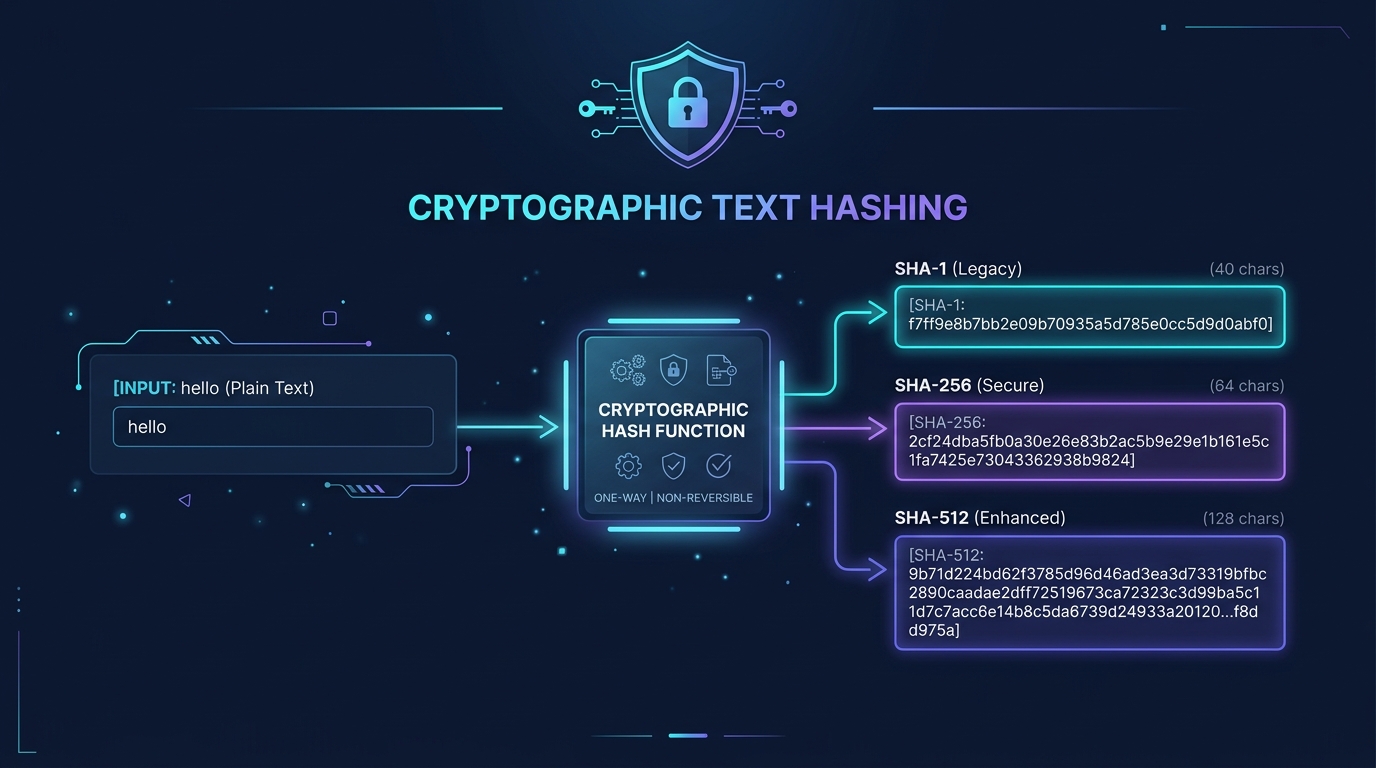
In modern software engineering, cybersecurity, digital forensics, and database architecture, few concepts are as fundamental as the cryptographic hash function. Whenever you verify the integrity of a software download, commit changes to a Git repository, query a blockchain ledger, or inspect a cryptographic checksum, you are interacting with the output of a mathematical algorithm designed to condense arbitrary data into a unique, fixed-length digest. Using an online hash generator allows developers, students, and system administrators to inspect and compute standard digests like SHA-1, SHA-256, and SHA-512 instantly in their browser.
A cryptographic hash is a strictly one-way mathematical operation. It is not encryption, and there is no mathematical key that can “decrypt” a hash digest back into its original plaintext. Furthermore, general-purpose hash algorithms like SHA-256 must never be used alone for password storage without dedicated, computationally expensive key-derivation algorithms such as Argon2id, bcrypt, or PBKDF2.
What Is a Hash Generator?
A hash generator is an online utility or software program that accepts an input string (or binary data) of any size and passes it through a specified cryptographic hash algorithm. The algorithm executes a deterministic sequence of bitwise operations, modular additions, and logical rotations to produce a fixed-length string of alphanumeric characters known as a hash value, digest, or checksum.
Regardless of whether your input consists of a single letter, a paragraph of source code, or an entire encyclopedia, a given hash function will always produce a digest of the exact same length. For example, a SHA-256 function will always output a 256-bit (64 hexadecimal character) digest.
Key Properties of Cryptographic Hash Functions
For a mathematical function to be classified as a secure cryptographic hash function, it must satisfy several stringent properties:
- Deterministic Output: The exact same input fed into the same algorithm will always produce the identical hash digest, across any computer, operating system, or programming language.
- The Avalanche Effect: Changing even a single bit or punctuation mark in the input produces a dramatically different, pseudo-random digest. Changing “cat” to “Cat” completely reshuffles every byte of the resulting hash.
- Pre-image Resistance (One-Way Property): Given a digest value
h, it is computationally infeasible to reverse-engineer or calculate the original input textmsuch thathash(m) = h. - Second Pre-image Resistance: Given an input
m1, it is computationally infeasible to find a different inputm2that yields the exact same digesthash(m1) = hash(m2). - Collision Resistance: It must be practically impossible to discover any two distinct inputs that collide and produce the identical digest. While collisions are mathematically inevitable in theory (because input space is infinite while digest space is finite, known as the pigeonhole principle), the search space for modern algorithms like SHA-256 ($2^256$ possibilities) makes finding a collision computationally impossible with all modern supercomputing power combined.
The hash function is the underlying mathematical algorithm (e.g., SHA-256 or SHA-512) that defines how bytes are manipulated. The hash value (or digest) is the resulting fixed-size output string produced when a specific input is processed by that function.
What Are SHA-1, SHA-256, and SHA-512?
The acronym SHA stands for Secure Hash Algorithm. These specifications were developed and published by the United States National Institute of Standards and Technology (NIST) as Federal Information Processing Standards (FIPS). Over the decades, the standard has evolved through multiple generations as cryptographic research uncovered structural weaknesses in older designs.
SHA-1 (Secure Hash Algorithm 1)
Introduced in 1995 as the successor to SHA-0, SHA-1 processes input blocks into a 160-bit (20-byte) message digest, standardly represented as 40 hexadecimal characters. For many years, SHA-1 served as the global backbone for SSL/TLS certificates, PGP signatures, and version control systems.
However, theoretical vulnerabilities began emerging in 2005, culminating in 2017 when researchers from CWI Amsterdam and Google announced the SHAttered attack—the first real-world demonstration of two distinct PDF files generating identical SHA-1 hashes. Consequently, NIST formally deprecated SHA-1 for digital signatures in 2011 and mandated that all federal agencies cease using SHA-1 in security systems by December 31, 2030. Today, SHA-1 should only be used for legacy compatibility, non-security checksums, or historical data verification.
SHA-256 (Secure Hash Algorithm 256-bit)
Published in 2001 as a premier member of the SHA-2 family (FIPS PUB 180-4), SHA-256 produces a 256-bit (32-byte) digest represented as 64 hexadecimal characters. It operates on 512-bit message blocks using 32-bit words, executing 64 rounds of bitwise non-linear functions, modular addition, and message scheduling.
SHA-256 is the current global industry workhorse. It powers TLS 1.3 certificate validation, DNSSEC, DKIM email authentication, package manager verification (APT, Homebrew, npm), and Bitcoin blockchain proof-of-work mining. With an effective collision resistance security level of 128 bits, there are no known practical or theoretical collision attacks against full-round SHA-256.
SHA-512 (Secure Hash Algorithm 512-bit)
Also part of the SHA-2 family, SHA-512 outputs a massive 512-bit (64-byte) digest represented as 128 hexadecimal characters. Unlike SHA-256, SHA-512 is designed from the ground up using 64-bit words and 80 execution rounds on 1024-bit message blocks.
Because SHA-512 operates natively on 64-bit architecture registers, it frequently executes faster than SHA-256 on modern 64-bit desktop and server CPUs when processing large volumes of data, despite producing twice as many output bits. It provides an immense 256-bit security level against collision attacks, making it a favorite for long-term archival integrity and high-assurance cryptographic primitives.
SHA-1 vs. SHA-256 vs. SHA-512
Understanding the differences in digest length, representation, and recommended security posture is essential when selecting an algorithm for your applications:
| Algorithm | Digest Size | Typical Hex Length | General Guidance & Security Status |
|---|---|---|---|
| SHA-1 | 160 bits (20 bytes) | 40 characters | Deprecated / Insecure Broken collision resistance. Do not use for digital signatures, security tokens, or new systems. Acceptable only for legacy checksums. |
| SHA-256 | 256 bits (32 bytes) | 64 characters | Industry Standard / Secure Widely recommended by NIST and global security bodies for general-purpose integrity, code signing, and cryptographic protocols. |
| SHA-512 | 512 bits (64 bytes) | 128 characters | High Assurance / Secure Excellent performance on native 64-bit systems. Ideal for long-term cryptographic archiving and maximum collision margin. |
Why is the hexadecimal length exactly half the bit size divided by two? In computing, each hexadecimal character represents 4 bits ($2^4 = 16$). Therefore, dividing the total bit length by 4 yields the number of hex characters: $160 \div 4 = 40$, $256 \div 4 = 64$, and $512 \div 4 = 128$.
How to Generate a Hash Online With All in One Toolbox
The All in One Toolbox Hash Generator is engineered to provide fast, reliable, and completely private cryptographic hashing directly in your web browser. You do not need to install command-line tools like OpenSSL or write bespoke Python scripts just to check a text checksum.
Navigate to the Hash Generator tool. The tool interface loads immediately without requiring an account, login, or subscription.
Paste your string into the “Text to hash” input field. You can paste plain text, JSON strings, API keys for testing, or configuration snippets.
Choose your desired algorithm from the dropdown: SHA-1, SHA-256 (default), SHA-384, or SHA-512.
Click the blue button. The browser immediately computes the cryptographic digest using the native Web Cryptography API (crypto.subtle.digest).
Click the “Copy hash” button to copy the resulting hexadecimal string to your clipboard, ready to paste into documentation, unit tests, or verification scripts.
Remember that trailing spaces, carriage returns (\r\n vs. \n), or subtle capitalization differences will change the output completely. Keep inputs identical when comparing digests.
All in One Toolbox performs all hashing operations locally inside your web browser using standard JavaScript Web Crypto APIs. Your text is never transmitted to our servers, logged in backend databases, or exposed across network requests.
Example of a Text Hash
To understand how cryptographic hashing transforms standard text, consider the simple five-letter lowercase word:
helloWhen this exact string (without quotes, leading spaces, or trailing newlines) is encoded into UTF-8 bytes ([0x68, 0x65, 0x6c, 0x6c, 0x6f]) and processed by each algorithm, the exact outputs are:
2cf24dba5fb0a30e26e83b2ac5b9e29e1b161e5c1fa7425e73043362938b9824aaf4c61ddcc5e8a2dabede0f3b482cd9aea9434d9b71d224bd62f3785d96d46ad3ea3d73319bf5216a92e374f3c2aa0e2dfb026d2e4745e45a0e0568019e3448a149258923a1a1f1b402dd1752b1b369e46a7888Demonstrating the Avalanche Effect
Notice what happens if we change just one single letter—capitalizing the initial “h” to “H” (input: Hello):
185f8db32271fe25f561a6fc938b2e264306ec304eda518007d1764826381969Not a single byte of the original digest is preserved. This extreme sensitivity makes cryptographic hashes ideal for detecting data corruption or unauthorized tampering.
What Is Hashing Used For?
Cryptographic hash functions form the silent backbone of everyday internet infrastructure. Common legitimate use cases include:
Software & File Integrity Checks
When software vendors publish installers, ISO disk images, or open-source packages, they publish accompanying SHA-256 checksums. After downloading the file, you can compute its local hash and compare it to the vendor’s published hash to verify that the file was downloaded without corruption or man-in-the-middle tampering.
Content-Addressable Storage (Git)
Version control systems like Git use cryptographic hashes (historically SHA-1, now transitioning to SHA-256) to identify commits, trees, blobs, and repository state. Because every commit hash is derived from its parent history and content, git repositories are inherently tamper-evident.
Digital Signatures & Certificates
Public-key cryptography algorithms like RSA and ECDSA are computationally slow when signing large documents directly. Instead, systems sign the small, fixed-length SHA-256 hash of the document, binding the signature to the exact file content.
Data Deduplication & Caching
Cloud storage platforms and content delivery networks (CDNs) calculate hashes of uploaded assets. If two different users upload an identical 500 MB video, the system detects the matching hash and stores only one physical copy on disk, saving petabytes of infrastructure.
Verifying that a downloaded file matches a published SHA-256 checksum only proves that the file was not corrupted during transit and is identical to the file the author published. It does not prove that the file is safe or malware-free. If the vendor’s website was compromised or the author intentionally uploaded malicious code, the malicious file will still match its published hash. Always ensure you trust the origin source.
Hashing vs. Encryption vs. Encoding: What’s the Difference?
One of the most persistent misconceptions in computing is conflating hashing, encryption, and encoding. While all three transform data into different representations, their goals, mathematical foundations, and reversibility are fundamentally distinct:
| Method | Primary Purpose | Reversible? | Key Required? | Typical Examples |
|---|---|---|---|---|
| Hashing | Verify data integrity, fingerprint content, and prove state without revealing the original input. | No (Strictly One-Way) | No key (Deterministic algorithm) | SHA-256, SHA-512, MD5 |
| Encryption | Ensure data confidentiality so only authorized parties with the correct key can read it. | Yes (Two-Way with Key) | Yes (Symmetric secret or Asymmetric private key) | AES-256-GCM, RSA, ChaCha20 |
| Encoding | Transform data into a safe format for transmission, storage, or protocol compatibility. | Yes (Easily Reversible by Anyone) | No key (Public standard format) | Base64, URL percent-encoding (Base64 Tool) |
Deep Dive into the Differences
- Hashing is a digital fingerprint: You can turn a cow into ground beef, but you cannot turn ground beef back into a cow. A hash discards information to create a compact digest. There is no decryption key.
- Encryption is a secure lockbox: Encryption scrambles plaintext into ciphertext using a cryptographic key. The original plaintext remains fully intact inside the ciphertext and can be retrieved whenever someone presents the matching decryption key.
- Encoding is a universal translation: Encoding schemes like Base64 or URL Encoding are not security mechanisms at all. Anyone who encounters a Base64 string can decode it back to the original text in milliseconds without a password or key.
Is a Hash the Same as a Checksum?
In casual discussion, the terms hash and checksum are often used interchangeably, but technically speaking, a cryptographic hash is a specialized subset of the broader checksum family.
A standard checksum (such as CRC32, Adler-32, or parity bits) is a mathematical algorithm designed specifically to detect accidental transmission errors—such as a dropped packet over Wi-Fi, a scratched hard drive sector, or an interrupted cable connection. Non-cryptographic checksums are computationally lightweight and very fast to calculate, but they have zero cryptographic defense against deliberate tampering. An attacker can easily modify a file and append padding bytes to force CRC32 to produce the original checksum.
A cryptographic hash (such as SHA-256 or SHA-512), by contrast, is specifically engineered to resist intentional, malicious attacks. Because of second pre-image and collision resistance, an attacker cannot forge an infected executable or modified document that shares the same SHA-256 digest as the authentic original.
Can a Hash Be Reversed?
From a mathematical and algorithmic perspective, no. Cryptographic hash functions are irreversible by design. When you hash a 2 GB file into 32 bytes of SHA-256 data, billions of bytes of original information are permanently discarded. You cannot reconstruct 2 gigabytes of content from 32 bytes of output.
Why Can Weak Hashes Sometimes Be “Cracked”?
You may have heard of online “hash lookup” databases that instantly reveal the plaintext behind a hash. How does this work if the function is mathematically irreversible?
These services do not reverse the hash. Instead, they use pre-computed lookup tables (often called rainbow tables) or brute-force dictionaries:
- Attackers take millions of common passwords, words, and phrases (such as “password123” or “admin”).
- They compute the SHA-256 hash for every single word in advance and store the pairs in a massive database index:
[plaintext → hash]. - When given a target hash, they perform a reverse index lookup. If the hash matches an entry in their dictionary, they display the known plaintext.
This is why short, predictable, or dictionary-based strings are completely unsafe when stored with a raw hash. Hashing does not conceal weak, obvious inputs from determined attackers.
Can You Use SHA-256 to Store Passwords?
Never store passwords using a single, plain SHA-1, SHA-256, or SHA-512 hash. Doing so is considered an insecure vulnerability by OWASP, NIST, and modern security compliance frameworks.
Why is SHA-256 dangerous for passwords when it is secure for digital signatures? The answer lies in computational speed.
General-purpose hash algorithms are designed to be as fast and efficient as possible so operating systems and servers can verify gigabytes of file downloads without bottlenecking the CPU. However, that same speed becomes catastrophic when an attacker steals a database of hashed passwords. Using modern consumer GPUs, an attacker can calculate and test over 10 billion SHA-256 hashes per second. A simple 8-character password can be cracked via offline brute force in minutes.
How Modern Applications Securely Store Passwords
Production authentication systems use dedicated slow, memory-hard password hashing functions (Key Derivation Functions or KDFs):
- Argon2id (Winner of the Password Hashing Competition): The state-of-the-art standard recommended by OWASP. It forces memory hardness and CPU iterations, rendering GPU and ASIC cracking hardware ineffective.
- bcrypt & scrypt: Proven, battle-tested algorithms that incorporate configurable work factors (cost parameters) that can be dialed upward as computer hardware becomes faster.
- Cryptographic Salt: A unique, random string generated for each user (using utilities like a UUID generator or CSPRNG) and prepended to the password before hashing. Salting completely destroys pre-computed rainbow tables and prevents two users with the same password from sharing the same stored digest.
Important Safety Practice: Never paste live passwords, private production API keys, or confidential user credentials into any online hash generator tool, even one that runs client-side. Practice good operational security (OpSec) at all times.
Common Hashing Mistakes to Avoid
When integrating hash generators and digest verification into your developer workflow, watch out for these widespread pitfalls:
1. Unintentional Whitespace or Line Breaks
When copying text from terminals, text editors, or web pages, it is easy to accidentally capture a trailing newline (\n), Windows carriage return (\r\n), or trailing space. Because of the avalanche effect, "secret" and "secret\n" produce completely unrelated digests. Always verify your input strings for invisible trailing characters.
2. Encoding Inconsistencies (ASCII vs. UTF-8 vs. UTF-16)
A hash function operates on raw bytes, not characters. In JavaScript, standard strings are UTF-16 in memory, but standard web cryptography converts them to UTF-8 bytes via new TextEncoder().encode(text). If one system uses UTF-8 and another uses ISO-8859-1 or Windows-1252, special characters like accented letters or emojis will yield completely different hashes.
3. Comparing Digests Across Different Algorithms
A 64-character hex digest could theoretically be SHA-256 or BLAKE2s. Trying to compare a SHA-256 digest with a SHA-512/256 or Keccak-256 digest will result in a mismatch even if the inputs are identical. Always confirm which exact algorithm family generated the reference digest.
4. Assuming a Matching Hash Proves a File Is Safe
A hash only confirms that the file matches the author’s published version. If an attacker compromises a download server and replaces both the executable and the published checksum text file on the website, your downloaded file will match the hash perfectly while still executing malware.
5. Continuing to Use SHA-1 for New Security Designs
While legacy Git repositories and older tools still encounter SHA-1, it is considered cryptographically broken for collision resistance. Never design new security protocols, tokens, or digital signature schemes around SHA-1. Choose SHA-256 or SHA-512.
Sources and Further Reading
To maintain the highest standard of technical accuracy, this guide references authoritative cryptographic standards, federal security specifications, and established cybersecurity bodies:
- NIST FIPS PUB 180-4: Secure Hash Standard (SHS) Specification — United States National Institute of Standards and Technology official definitions of SHA-1, SHA-224, SHA-256, SHA-384, and SHA-512 algorithms.
- NIST SP 800-131A Rev. 2: Transitioning the Use of Cryptographic Algorithms and Key Lengths — Formal deprecation timeline and security restrictions for SHA-1 and legacy primitives.
- OWASP Password Storage Cheat Sheet: Open Web Application Security Project (OWASP) — Comprehensive industry guidance detailing why general-purpose hashes like SHA-256 are unsuitable for credentials and providing implementation rules for Argon2id and bcrypt.
- W3C Web Cryptography API Recommendation: World Wide Web Consortium (W3C) — Technical standard governing browser-native asynchronous cryptographic operations via
crypto.subtle.digest.
Generate Cryptographic Hashes Instantly
Need to verify a checksum, compute a SHA-256 digest, or compare hash outputs? Use All in One Toolbox’s free online hash generator. Runs 100% in your local browser with zero data transmission and instant one-click copying.